Your AI assistant does the setup
The ValidAI skill recommends task flows from your goals and research notes, tags the click targets, then pushes the prototype to ValidAI or packages it as a .validai file.
You built the prototype in an afternoon. ValidAI turns it into a structured user test the same day: your AI assistant sets up the task flows, testers open a link, and you see where each one got stuck, how hard every step felt, and a replay of what they did.
Invite-only for now.
Features
Built for product managers and builders who prototype with AI, not for research teams.
The ValidAI skill recommends task flows from your goals and research notes, tags the click targets, then pushes the prototype to ValidAI or packages it as a .validai file.
Send an invite link testers open in their browser, with no account to create. Or run the session side by side on your own machine.
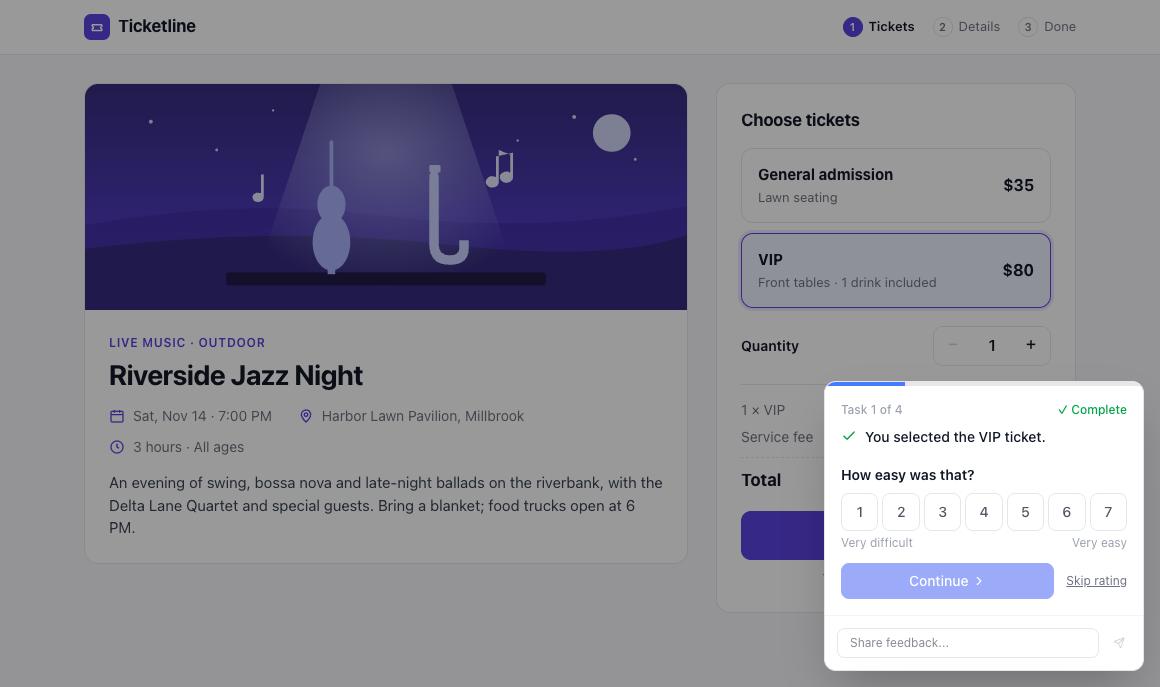
A step completes when the tester clicks the tagged element or the expected screen appears. Testers rate how easy each step felt on a 1–7 scale.
Watch exactly what each tester saw and did, for remote and in-person sessions, alongside their step results and notes.
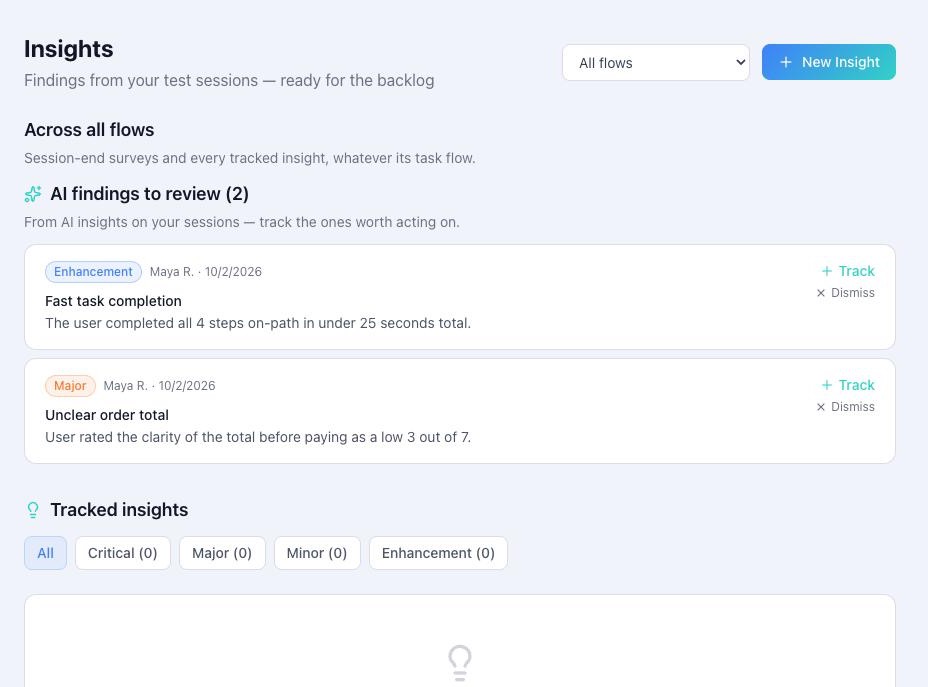
AI findings land in an inbox you track or dismiss. Bring your own Claude, OpenAI or Gemini key; Gemini's free tier works. Rule-based signals need no key at all.
Prototypes are private to your account. Testers can't open the files outside an open session, file links expire, and replays are yours alone.
How it works
In your prototype repo, ask Prepare this prototype for ValidAI and share your goals, notes or PRD. It proposes task flows, tags what testers should click, and sends it to ValidAI, or packages it as a file you drop in.
Send testers an invite link, or run the session in person. They follow the task flows in their browser, with nothing to install.
See completion and ease for every step, watch replays where people struggled, and turn AI findings into tracked insights.
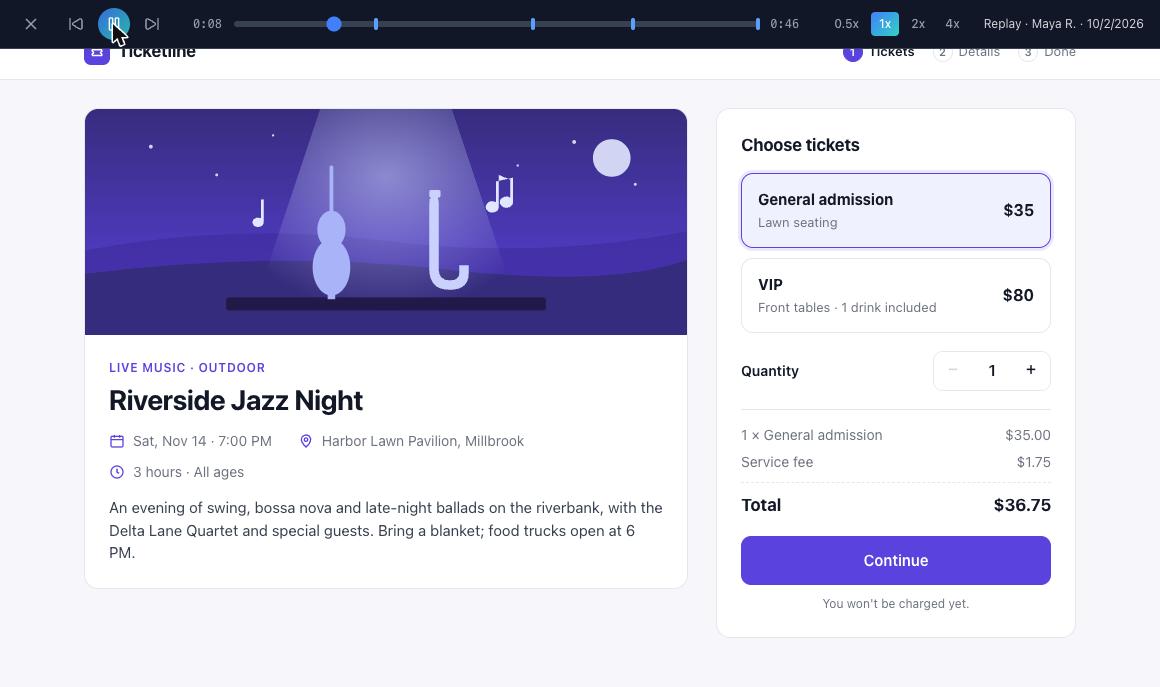
Every session review lines up the task flow step by step: what completed on its own, what didn't, and how hard each step felt.
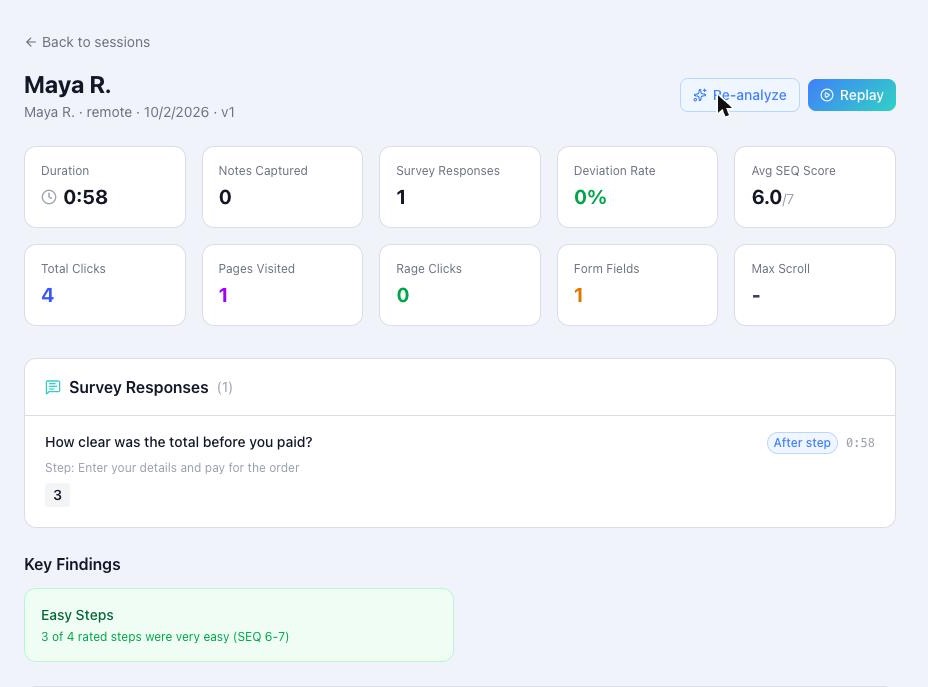
Replays show what the tester saw and did, so a low ease score comes with the reason behind it.
The Insights page collects signals across sessions and an inbox of AI findings, ready to track or dismiss.
FAQ
Yes. Your prototypes, sessions and replays belong to your account, and other ValidAI users can't read them. Uploaded prototype files are served from a separate origin inside a sandboxed frame, so prototype code can't reach your ValidAI sign-in. Testers can only load the files through an open test session for that exact prototype version, closing the session cuts off access, and file links use signed tokens that expire. Only you can watch replays. If you test a prototype by its public URL instead of uploading it, that URL stays as public as it already was.
Claude Code and Claude.ai / Cowork use the ValidAI plugin. Cursor, Codex and other coding assistants use an AGENTS.md file plus the validai-share command-line helper, both downloadable from ValidAI. In Claude.ai, Claude usually hands you a .validai file to drop into ValidAI. You can also skip the assistant and upload an HTML file or a prototype folder, or paste HTML.
No. Step completion, ease ratings, session replays and rule-based signals all work without one. AI synthesis is optional: add your own Anthropic (Claude), OpenAI or Google Gemini key in Settings. Google AI Studio issues Gemini keys with a free tier.
ValidAI is invite-only for now, and free for invited accounts: there's no credit card and no paid plan. If you turn on AI synthesis, your AI provider bills its usage to your own key, and Gemini's free tier works.
Testers only receive the files of the prototype version they're testing: never your repository, your other prototypes or other versions. Those files run in the tester's browser like any web page, so someone determined could inspect them with developer tools during a session. Keep secrets and API keys out of prototypes.
Set up your first test in minutes with the AI assistant you already use.
Invite-only for now.